DaVinci Resolve – Photo
Posted by thebiblelover7 7 days ago
Comments
Comment by arecsu 7 days ago
Only Darktable seemed to push the technical capabilities of photo editing forward (AgX, parametric masks, tone equalizer, etc), while rest of "industry standard" software lagged behind for quite so long, stagnant. Even more so when it comes to "creative" ways of editing, which Video Editing software have adopted for years but photo editors didn't (relight, actual LUT usage without complications, film emulation, halation, other aesthetic effects like VHS film damage, etc).
There's so much we can do. To me, it seems like these sort of conservative culture (photography) vs progressive (video editing). I've been into both worlds, and for some reason video editing software and professionals were much eager to try new stuff and celebrate new ways to shape visuals, compared to photographers.
Comment by gyomu 7 days ago
Movies routinely have 8 or 9 digit budgets, with teams of hundreds of people who have to collaborate to make footage coming from dozens of different cameras look seamless and consistent. Meanwhile, $1M would be an insane budget for a photo shoot.
You can see this in the actual skills of people working in the field as well. Anyone working in video has a solid understanding of the technical underpinnings of their craft. On the other hand, it’s not uncommon for working photographers to not understand some really basic stuff about color science/data formats/etc.
Comment by dbspin 6 days ago
There are at least an order of magnitude more people making a professional salary as photographers (ie.: enough to justify a software purchase) than professional videographers.
Outside of film, videographers are generally paid a day rate about half as high as photographers, with enormously higher equipment costs.
Film - hollywood, streaming, TV etc, combined actually employ a relatively small number of people. Sure there's enormously more budget for any given TV show than say a wedding photoshoot, but think about how many people get married, how many corporate photo sessions there are etc etc.
Basically by conflating videography and cinematography you've obscured the issue. Source - I'm a videographer that also works as a cinematographer / director on smaller budget projects.
Also on anything bigger than a very low budget short, it's editors and post people who are using the editing software not the videographers / camera operators / DOP. Bare in mind DaVinci does not own the film industry. It's very much still Avid's game, with Nuke for colour, and a small percentage of Adobe Suite.
Comment by PaulHoule 6 days ago
I don’t really do video but I have in the past so a video editor coming in a box sweetens the deal in the same sense that Adobe CC comes with, say, Premiere, which I use just occasionally. I can totally shoot video with my Sony and there is definitely a lot of demand for it on the internet these days. I also know Divinchi resolve is a product that many people in film/video are enthusiastic for and that counts too.
Comment by omgitsu 6 days ago
Comment by ryukoposting 6 days ago
Comment by doubletwoyou 6 days ago
IIRC, it only officially supports CentOS or some other baroque thing, doesn’t support importing or exporting mp4 when free, and also (unrelated to the product itself) Linux hw accel of video is flakey.
Comment by ryukoposting 4 days ago
Comment by eitally 6 days ago
Comment by KaiserPro 6 days ago
Autodesk, foundry and Avid all have site licenses with their big players, and the product owners/managers will be on site talking to users to see what bugs/features are needed.
More over a lot of the big companies that buy this software also have their own R&D departments. So there is much cross pollination.
Also people will come to blackmagic and foundry with problems and ask for help (Ie rolling shutter reduction, anti-noise, optical flow, copy grade, etc etc)
Comment by user_7832 6 days ago
Tangential - any helpful advice you could give to budding videographers? I'd love to make those nice B-roll images you see in YouTube videos (Engineering Explained comes to mind).
Most advice is either for folks videoing people, or generally for photography. Funny thing is I'd say I'm already a very solid photographer... but my videos (admittedly shot on my phone) never look as good.
Comment by dbspin 5 days ago
Learn to shoot static first. Biggest mistake I see people make when they move from photo to video is moving the camera without intention. Master the basic size of shots - wide, mid, closeup - with a variety of stills lenses on a tripod (or in hand with good in camera stabalisation).
Then learn the basic moves - ped, pan, track etc. If you're moving, think about how you're stabalising your camera - gimbal, shoulder rig etc. Most DSLR's do not have good enough stablisation to allow movement without artifacts.
Make sure you understand your camera. For photos you have much more leeway in post. For video I'd recommend always shooting at the camera's native ISO, at 24/25/30 shutter speed, and keeping shutter angle at double the shutter speed (or 180 degrees).
Don't change settings during a shot (other than focus). Set everything to manual, get your ISO, white balance, shutter speed or angle right, and leave it at that for the duration of the shot. If the lighting changes in the shot, your settings should cover the whole extent of the lighting for that shot.
Think about each shot as an image. i.e.: Don't try to catch everything, but focus on a detail, or framing, just as you would with a photo. If you're filming people, how they sit in the frame in relation to the background and other people (how large they are in frame, how they're blocked, whether they're enclosed by foreground detail etc) determines how we see them.
Just focus on all the basic photography stuff - rule of thirds, colour theory, bokeh etc. People just get overwhelmed when they switch to video, but the same rules apply. It's really just moving photographs after all.
Movement is in time, think about a nice frame of a railway line in a landscape - then a train enters and passes through it. Movement is everywhere - water, reflections, shadows, animals. Find a strong frame in nature or the build environment, that has movement, or will have movement passing through it and shoot that.
Then start thinking about how shots connect together. Even B-Roll tells a story and has a rhythm. Wide to closeup, big object to small object, matching motion between shots, directing the viewers eye as it moves across the frame. You're always telling a story, so when you get 'coverage' try to have the story you'll tell in the edit in mind. If you're capturing a place, whats a wide or ultra wide that gives us an emotional impression of the place. What are some details that colour it in. Whats a change thats occurring that ads movement life and purpose.
Basically it's about intentionality and choice. Whats the feeling you're trying to convey and which shots convey it best. A good exercise is trying to shoot a happy event in a threatening or disturbing style, or vice versa. Here's an example where I shot and edited a St Patrick's day parade in a nightmarish style - https://www.youtube.com/watch?v=lpj-fK8obPI
Think in terms of the final video or film rather than individual shots. That's the equivalent of the finished photo.
Comment by motoxpro 6 days ago
Comment by mastermage 7 days ago
Comment by atoav 7 days ago
Or phrased differently: If your shoot codts a million a day it doesn't matter if your camera costs 400 bucks a day or 40. In fact they may ask you whether you really wanna go with the 40-buck camera.
Comment by mastermage 5 days ago
The evidence does not point to this. There have been copious amounts of movies that hired the Rock and then made the worst CGI in the history of Cinema.
Comment by hobofan 6 days ago
Photo shoots for automotive advertising regularly are around that pricepoint.
Comment by d3vnull 7 days ago
Comment by coldtea 6 days ago
Movies are not where BlackMagic makes their money. It's from the millions and millions of small videographers, news teams, ad teams, and content creators.
Same for photos.
Comment by dylan604 6 days ago
Lol. That's the funniest thing I've read in a long time. I've been on so many sets where there was not a single person that knew how to read a waveform. After the Canon 5Dmkii came out where "the producer's nephew could shoot this for $500" became a thing, the skill set dropped dramatically. There are people that can frame a pretty picture while at the same time have zero understanding of what's happening between the lens and the sensor to the recording medium. When video cameras started shooting flat expecting the user to know what to do with that, it became a trend of sending the flat look out because people didn't know what to do with it. When DV cameras were shooting 24 but still recording to tape with pulldown applied so it still recorded to a 29.97 tape, people had no idea how to get rid of the interlacing properly and just edited 29.97 instead of the 24/23.976.
You are giving way too much credit to people in the industry. It would be nice if everyone on the production crew and in post knew everything they should to be competent, but there are many many people fakin' it 'til they make it.
Comment by traceroute66 6 days ago
Oh dear...
I'd better go tell all the gear manufacturers, especially the higher-end kit like PhaseOne cameras and the Profoto flashes. Guess I should also tell the pro departments of Canon and Nikon they no longer have a job either.
There's TONS of money washing around photography.
From the wedding and sports photographers, to the paparazzi to the household-name fashion / landscape /architectural photographers.
There's then all the semi-pros and the amateurs with deep pockets.
Most of them will spend more money on insurance ALONE than the $295 asking price of DaVinci Resolve - Photo.
Hell, most of them will already have an Adobe subscription that they won't be cancelling any time soon. :)
Comment by Keyframe 6 days ago
and then you have Adobe which has ~%65 of its revenue coming from Creative segment ($14-15b over $23.77 for 2025), which would put it at ~$70b - $100b valuation if it were standalone (5x-7x revenue).
That's how big Adobe is compared to literally everything else. Its creative division is 3x-4x more than the entire industry combined.
You do have new contenders now with Epic (~$22b), Canva ($26b), Figma ($20b), but I'm not convinced.. in certain segments for sure, but still not confident based on stock performance or revenue.
Comment by Forgeties79 6 days ago
I remember hearing the phrase “round tripping through resolve” for years as some sort of magical incantation only somebody in post production understood. Now resolve is fighting for Lightroom’s space within a full NLE. That’s something!
Comment by Keyframe 6 days ago
Even Apple had a horse in the race with Color, but once Resolve became free or ridiculously cheap it was game over.. even for more advanced tools like Lustre (which merged into Flame), Film Light, Base Light, Scratch, etc. More than I can count which died even before that.
Turns out if you can afford to give your tool to wide audience with no budget, that's what they'll use (especially if it's any good) and will end up turning to you eventually for more professional setups once / if they get into pro waters.
Comment by Forgeties79 6 days ago
Comment by esperent 7 days ago
As a casual photographer, I wanted to love darktable and I'm sure it's extremely capable. But the UI is just so hard to get to grips with. I've put a few hours into it, tried following some tutorials etc. but I have no idea what I'm doing there.
I do have a fairly decent grasp of color science from working in 3d graphics so it's not that I'm lacking there. I guess it's like blender of yore. It could become mainstream but it would require a full UI overhaul and in the meantime it's for experts only, or determined people with a lot more time on their hands than I have.
Comment by omnimus 7 days ago
Once you care only about editing and not cataloging then RawTherapee ends up being better editor for mr.
Comment by mikae1 6 days ago
AFAIK, the reasons Ansel exists are:
1. To yank out darktable internals for code purity reasons.
2. Its (talented) developer worked better by himself than in group.
He was vehemently opposed to any idea containing the words "intuitive" or "UX".
Comment by omnimus 6 days ago
Comment by Maxion 7 days ago
Comment by FireBeyond 6 days ago
Comment by pontussw 5 days ago
Comment by tomaskafka 6 days ago
Comment by unmole 6 days ago
Comment by embedding-shape 6 days ago
Comment by bombcar 6 days ago
Comment by CyberDildonics 6 days ago
Comment by jiggawatts 7 days ago
I know it sounds shocking to criticise the color editing capabilities of a dedicated colorist tool, but...
Resolve only got HDR output support on Windows recently! Up to version 18 or 19 it output gibberish that only specialised (super expensive) monitors could display. So you could have a HDR OLED 4K monitor and you'd get a washed out mess unless you also spent a ton of money on SDI cards for no good reason.
Sure, they fixed that now, but the pedigree of "we're a hardware company first, software company second" remains. They're not a photo editing company and have no idea what makes Lightroom "the" industry standard.
> conservative culture (photography) vs progressive (video editing)
I've found the exact opposite to be true!
Lightroom has used "scene referred" (correct) color management since forever. 32-bit float ultra-wide-gamut HDR throughout. This is a "new" feature in Resolve! [1]
Similarly, I just tried Resolve 21 photo export and it exports... SDR. Probably in sRGB, who knows? Appears to be totally uncalibrated.
Meanwhile Lightroom can export 16-bit PNGs, wide-gamut, true HDR, HDR gain maps, JPEG XL, etc, etc.
Resolve is way behind on the basics.
[1] There are excuses for this, mostly to do with performance when editing real-time footage vs a still image.
Comment by user34283 7 days ago
The Sony RAW file rendered terrible compared to Lightroom.
I found the interface unintuitive and did not even manage to locate the much praised Color grading features. That tab opens with a Video view.
This needs some work to compete with Lightroom for Photos - I see that it's Beta 1, just saying.
Comment by jiggawatts 6 days ago
Resolve is designed to be controlled with their "panels", which have lots of dials and knobs to turn.
The software only interface is clunky at best, and they steadfastly refuse to fix basic usability issues lest that undermine the justification for buying their hardware.
For example, cropping and rotating media in Lightroom is a totally different experience compared to Resolve (photo or video, they're both bad!).
Lightroom lets you fine-adjust sliders by pressing shift so that instead of rotating an image by HUGE AMOUNTS BACK AND FORTH you can easily remove a 0.4% tilt without having to type in the numbers into an "angle" text input box like a savage.
Lightroom's crop and rotate controls do a "constrained crop" by default so that you don't get black wedges in the corners of the image. When the background is already mostly (but not perfectly) black, this can be infuriating to fix in Resolve by alternatively rotating, cropping (numerically!), rotating, cropping etc...
While I'm complaining about Resolve issues, it gets the color temperature scale wrong, as per this video, to the point where I find it nearly unusable: https://www.youtube.com/watch?v=WADuXiMZxq4
Comment by porphyra 7 days ago
Comment by patrakov 7 days ago
And even without neural networks, DarkTable denoising is better than open-source competitors, due to the database of camera sensor noise shipped with it. For each supported camera and ISO setting, it contains the measured values of Poissonian and Gaussian components of the sensor noise, so proper denoising becomes a one-click operation. That's as opposed to the much more complicated "drag the luminance and chrominance noise sliders until the noise disappears, then drag two more sliders to recover detail" workflow found, e.g., in ART.
Comment by trop 7 days ago
- It appears to be an out-of-band pre-processing stage (run the image through denoise to produce an intermediary TIFF), unlike most other parts of the program.
- All AI features are gated behind compile-time flags which default to off.
Comment by porphyra 6 days ago
Comment by sergimansilla 6 days ago
Comment by harrall 6 days ago
The main issue is that Adobe has been a long time player in the market and they have historically segmented into 4 distinct types of tools: RAW editing (Lightroom), raster editing (Photoshop), vector (Illustrator), and video editing (Premiere). Adobe still dominates in the first 3 categories.
Achieving the effects you listed would just happen in Photoshop, and Adobe never cross contaminates their product lines with the same features. You’d need to buy both Lightroom ($12/mo) and Photoshop to do what you want ($20/mo). Want vector editing? $40/mo now. Creative subscriptions are good money to them.
You’ll see other companies try to break this segmentation — for example, Affinity combined several categories of tools into one, but when they first released their suite, they actually followed Adobe’s model.
Comment by Melatonic 6 days ago
After Effects is also huge
Comment by vasco 7 days ago
Comment by prmoustache 7 days ago
Nowadays default filtering is that everybody crank saturation and vibrance way too high so that it looks good when looked on a small screen full of fingerprints and a scratched screen protectors, under the sunlight. Same way music is dynamically overcompressed because the baseline is it need to still sound half decent on hostile noisy environments with crappy speakers/headphone.
Comment by buildbot 7 days ago
Let alone the other things listed.
Comment by vasco 7 days ago
You have all those features already in professional photo software already as well. DaVinci is cool but it doesn't unlock anything like "make my photo look like VHS" that hasn't existed for decades by now.
Comment by TeMPOraL 7 days ago
I'm yet to see a filter that makes your photo look like taken from a specific camera (old or otherwise). Smearing colors and sticking a frame that imitates camera film border does not count.
Comment by vasco 5 days ago
I cant find the original source of why I know this but I know the original Instagram filters were trying to emulate specific looks from specific analog cameras and expired film.
Smearing colors for example or weird blue / purple overlays is what you get when you shoot expired film.
Comment by buildbot 5 days ago
Comment by connorelsea 6 days ago
Comment by qingcharles 5 days ago
Comment by alfanick 6 days ago
Comment by afarviral 6 days ago
Comment by orbital-decay 7 days ago
Comment by DrewADesign 6 days ago
Comment by discopicante 7 days ago
Comment by tablatom 7 days ago
Comment by discopicante 6 days ago
https://signalprocessingsociety.org/community-involvement/in...
AP has had these rules since the late 90s:
"Only the established norms of standard photo printing methods such as burning, dodging, black-and-white toning and cropping are acceptable. Retouching is limited to removal of normal scratches and dust spots."
https://niemanreports.org/aps-policy-banning-photo-manipulat...
Comment by bombcar 6 days ago
Of course, we now know that "JPEG from the camera" can be complete bollocks, so it's going to get worse.
https://www.bronxdoc.org/bronx-documentary-center/exhibits/a...
https://old.reddit.com/r/Android/comments/11nzrb0/samsung_sp...
Comment by Daub 6 days ago
Comment by Melatonic 6 days ago
Comment by Daub 5 days ago
True, but that is there loss. A scope is a visualization of the color properties of a photo and any problem-solving individual should value visualization highly. I am certain that Rembrandt would have murdered to get his hands of a histogram.
Comment by northernsausage 6 days ago
Comment by t0bia_s 7 days ago
I wish using Darkroom more, but it is terrible in defaults. It's one of those software that is developed by enthusiastic programmers but ignore actual needs of photographers. You don't need tons of demosaic algorithms but none reliable selection tool.
Comment by orbital-decay 7 days ago
Comment by t0bia_s 7 days ago
Comment by orbital-decay 6 days ago
Comment by t0bia_s 6 days ago
Sure, editing via prompts or personalised automated actions would be ultimate convenience, but we are not here yet. Day by day software like those from Adobe or BlackMagic will be obsolete.
Comment by t0bia_s 6 days ago
Comment by laughing_me 6 days ago
Comment by CyberDildonics 6 days ago
Comment by Melatonic 6 days ago
Comment by CyberDildonics 5 days ago
Comment by animanoir 6 days ago
Comment by googie 6 days ago
There are whole guides online how to walk around these issues and even then I could not get the audio working. Somehow it relies on some old ALSA API, which is no longer maintained/supported on Ubuntu/Kubuntu, or I'm just too stupid to make it work. AI assistants could not provide working solution for me either.
I've moved back to Linux a year ago after around 10 years of Windows (and I used to use Linux Slackware for ~15 years beforehand). I am amazed how big progress the KDE made and whole Linux ecosystem. Gaming these days is just as easy as on Windows, which was my primary reason to switch to Windows. My printer just works now. Even music production is excellent on Linux now. There is plenty of great software options to choose from and they just work - as I would expect from the mature ecosystem.
This all feels so good, given how Linux is not pushing trash into my computer (OS-bound spyware/bloatware), has excellent, customizable UI. Full freedom. I do feel that I own my hardware.
Yet I miss DaVinci Resolve. For now I use Kdenlive, which is nice for simple editing, but feels unfinished, or I just don't know how to use it correctly.
Comment by cowmix 6 days ago
It helps you build and run Resolve in a Docker or Podman container. I’ve personally used it on Ubuntu, Debian, and Arch-based setups (well, CachyOS), and it’s worked great for me.
Right now it supports Nvidia very well. I’m also personally working on adapting it for AMD GPUs so I can run Resolve on my Strix Halo workstation.
One especially nice thing about this setup is that I can run multiple versions of Resolve on the same computer. If a new beta comes out, no problem — I can build a new container and try it out while keeping my stable version as my daily workhorse.
Comment by dtf 6 days ago
I was really impressed by how well it worked for me on Linux.
I think these things might have helped:
- I use an X11 desktop (Cinnamon), not Wayland. I've tried it out on a GNOME Wayland desktop but it seemed quite a bit more clunky and froze frequently.
- PipeWire runs the system's audio routing, so Resolve just appears as another ALSA client, and I can then use wiremix to send to my preferred speakers or headphones. (I haven't tried any audio input yet)
- I didn't try to install Resolve natively, I used davincibox [1] to install and update it within a container (it uses distrobox, which then uses podman).
I'll now be purchasing the studio version, which hopefully will work as well.
Comment by googie 6 days ago
Installation still requires workarounds and codecs support is limited, but having that aknowledged and accepted, the application is finally usable!
PS. I don't know where the h264 (and other codes?) limitation come from, since ffmpeg has full support of it. Or is it just business model? Weird.
Comment by dtf 6 days ago
I would guess the codec limitation might come from licensing requirements, as BMD would need to pay for h264/h265 licenses for Linux, and that can't really be sustainable for a free product. MacOS and Windows already come with licensed system codecs.
My project had ProRes source media, so there was no codec issue and everything worked very smoothly. I exported ProRes and used ffmpeg to transcode to whatever I needed.
I don't think I would have bothered trying to run Resolve on Linux were it not for finding that davincibox script. It was incredibly straightforward to install, and now I just start it by clicking on an icon like a regular application.
Have fun!
Comment by googie 6 days ago
  #!/usr/bin/env bash

  set -euo pipefail

  INPUT_DIR="${1:-}"
  TARGET_FPS="${2:-30}"

  if [[ -z "$INPUT_DIR" ]]; then
      echo "Usage: $0 <directory with clips> [target fps (defaults to 30)]"
      exit 1
  fi

  if [[ ! -d "$INPUT_DIR" ]]; then
      echo "Error: directory does not exist: $INPUT_DIR"
      exit 1
  fi

  OUTPUT_DIR="$INPUT_DIR/conv"
  mkdir -p "$OUTPUT_DIR"

  EXTENSIONS=(
      mp4 avi wmv mpg mpeg mov
      mkv m4v flv webm ts mts m2ts 3gp
  )

  shopt -s nullglob nocaseglob

  for ext in "${EXTENSIONS[@]}"; do
      for file in "$INPUT_DIR"/*."$ext"; do
          filename="$(basename "$file")"
          name="${filename%.*}"

          output="$OUTPUT_DIR/${name}.mov"

          echo "Konwersja: $file -> $output"

          ffmpeg -y -i "$file" \
              -map 0:v:0 -map "0:a?" \
              -vf "fps=${TARGET_FPS}" \
              -vsync cfr \
              -c:v prores_ks -profile:v 1 \
              -pix_fmt yuv422p \
              -c:a pcm_s16le -ar 48000 \
              "$output"
      done
  done

  echo "Results in: $OUTPUT_DIR"
  #!/usr/bin/env bash
  set -euo pipefail

  INPUT="${1:-}"
  CRF="${2:-21}"
  PRESET="${3:-slow}"

  if [[ -z "$INPUT" ]]; then
      echo "Usage: $0 <input file> [crf=21] [preset=slow]"
      exit 1
  fi

  if [[ ! -f "$INPUT" ]]; then
      echo "Error: file does not exist: $INPUT"
      exit 1
  fi

  DIR="$(dirname "$INPUT")"
  FILE="$(basename "$INPUT")"
  NAME="${FILE%.*}"

  OUTPUT="$DIR/${NAME}_h265.mp4"

  ffmpeg -y -i "$INPUT" \
    -map 0:v:0 -map '0:a?' \
    -c:v libx265 \
    -preset "$PRESET" \
    -crf "$CRF" \
    -pix_fmt yuv420p \
    -tag:v hvc1 \
    -c:a aac \
    -b:a 192k \
    -movflags +faststart \
    "$OUTPUT"

  echo "Ready: $OUTPUT"
Comment by embedding-shape 6 days ago
Got my license when I bought a second hand Blackmagic camera, must have been 5-6 major Resolve versions ago, and it still works as a charm! They're a rare star among a sea of trash in the software and (arguably bit less trash) hardware world.
Comment by cowmix 6 days ago
I run Resolve under CachyOS using the project I mentioned -- everything works afaict.
Comment by embedding-shape 6 days ago
Why though? I run it perfectly fine on Arch as-is, what problem does containers solve here? Install it to different paths and you have different versions working too.
Comment by teovall 6 days ago
Comment by AkBKukU 6 days ago
The ALSA issues are beyond aggravating at this point. You do not want to actually run ALSA directly, you need it to connect to pulseaudio on 24.04. But I still have never been able to record audio within resolve. I've had mixed luck on newer wayland+pipewire setups with having to install the bridge packages to connect the different backends. Linux audio is cursed on its own so I don't fully blame BMD.
I exclusively run Kubuntu and have been using makeresolvedeb[1] for installing resolve and it has been pretty good.
Comment by jordand 6 days ago
Comment by embedding-shape 6 days ago
To be fair, most studios seems to still be using CentOS 7 and Rocky 8, latest Ubuntu version tend to be 20.xx, all of them relatively old from like 2020s sometime.
Comment by jordand 6 days ago
Comment by larodi 6 days ago
Comment by embedding-shape 6 days ago
AFAIK, the entire point of that reference platform is that nothing is "very unstable" or even "unstable" but instead a stable target to develop against. I'm guessing adding something like that would defeat the purpose somehow, and risk getting studios vary enough to make it not worth it.
Comment by jordand 6 days ago
Comment by anal_reactor 6 days ago
Comment by Saris 6 days ago
Comment by flexagoon 6 days ago
Comment by AlienRobot 6 days ago
Comment by roygdavis 6 days ago
Comment by googie 6 days ago
Comment by amatecha 7 days ago
> It includes native RAW support for Canon, Fujifilm, Nikon, Sony and even iPhone ProRAW.
I looked all over for a more technical page that just lists these kind of specs in bullet-point form, but apparently they refuse to communicate information about their product in this way? The "Tech Specs" page only seems to show information about hardware products. /shrug
Would be cool to have something I can use to edit my Fujifilm-shot photos without any sort of subscription. Capture One Express (or whatever it's called now) is super light on features, but processes Fujifilm .RAF's very well (oh, or it used to, apparently it's permanently discontinued now, great). I'd love to use Lightroom but I refuse to pay for a subscription to use software, so... options are limited :\
Comment by erghjunk 6 days ago
Comment by kkukshtel 5 days ago
I love (video) Resolve, but I dont see anything here where it has some of the great C1 features like "group by similarity" and other media management options.
Comment by amatecha 6 days ago
Comment by PetitPrince 7 days ago
Comment by jjbinx007 7 days ago
Comment by sanitycheck 7 days ago
Comment by RobotToaster 7 days ago
I guess everyone forgot that Pentax still exists.
Comment by sanitycheck 7 days ago
(Except DaVinci, which I couldn't get to do anything without freezing for minutes at a time this morning.)
Comment by fetzu 6 days ago
Comment by sanitycheck 7 days ago
I've just installed DaVinci and pointed it at my photos from this year and so far it's been frozen for 8 minutes, not initially confidence inspiring.
Comment by embedding-shape 6 days ago
Comment by sanitycheck 6 days ago
Comment by IndrekR 7 days ago
Comment by petepete 7 days ago
Comment by amatecha 6 days ago
[0] https://mg0x7be.github.io/affinity-enshittification-how-canv...
Comment by jayphen 6 days ago
As someone who hasn't touched DaVinci products before (but a lot of experience with LR) - I am immediately confused by the integration of photo editing here. It feels very much like video editing software with photo editing tacked on. I can imagine that this would be much more intuitive for people who are already used to using DaVinci for video editing.
I can intuit from the interface that there are a lot of powerful editing opportunities here, but I feel lost in the software. I spent 15 minutes or so trying to figure out how to do simple masking, but I could not find any way to do it for photos.
Obviously this is just a beta and hopefully the workflow will be improved, but unless the photo editing features are extracted in to their own software package, I don't think it's enough yet to sway me from LR (and I want so desperately to be swayed)
Comment by divan 6 days ago
If you know how to do masking with video in Davinci, then it all just applies to photos too. I tried today some basic Magic Mask and color tab editing with photos, and it works exactly the same (without the annoying waiting time on huge videos for Magic Mask, ofc).
Comment by jayphen 6 days ago
All the tools are here for a good photo editing product - they just need to be extracted and arranged in a way that is intuitive for photo editing, and this would be a legitimate LR alternative.
edit: This is a great video on the Photo tools: https://www.youtube.com/watch?v=HuKgfytA0lg. I do feel a little more confident that I could use Resolve for editing after watching this.
Comment by divan 6 days ago
Comment by ajs1998 6 days ago
Comment by p_ing 6 days ago
Comment by scotty79 6 days ago
Isn't it exactly what it is?
Comment by jayphen 6 days ago
I do hope they split this out to a separate focused product, as the photo editing space is in dire need of more options.
Comment by mcdeltat 6 days ago
Which if it is, it better be damn good at it. Adobe may generally suck and Lightroom has many rough edges, but it has streamlined its workflow very well.
This is why I (photographer) haven't switched from Lightroom to an alternative. It's because all the alternatives are targetting different workflows or have a pretty half-assed RAW workflow. We don't need a photo workflow tacked on to something else, we need a proper good workflow made from scratch.
Comment by _joel 6 days ago
Comment by jayphen 6 days ago
> Whether you’re a professional colorist looking to apply your skills to fashion shoots and weddings, or a photographer who wants to work beyond the limits of traditional photo applications, the Photo page unlocks the tools you need
Comment by mikae1 7 days ago
Kind of stoked to see this release even though I've transitioned to a 100% open source photo workflow on Linux now.
IMO, most exciting developments in photo editing today happens in open source. But this is really something.
Comment by jez 7 days ago
Comment by MrDrMcCoy 6 days ago
Comment by lynndotpy 6 days ago
AND it runs on Linux!
It's not every night you make a wish and wake up to find out it has come true.
Comment by finnjohnsen2 6 days ago
Comment by danbruc 6 days ago
[1] https://images.blackmagicdesign.com/images/products/davincir...
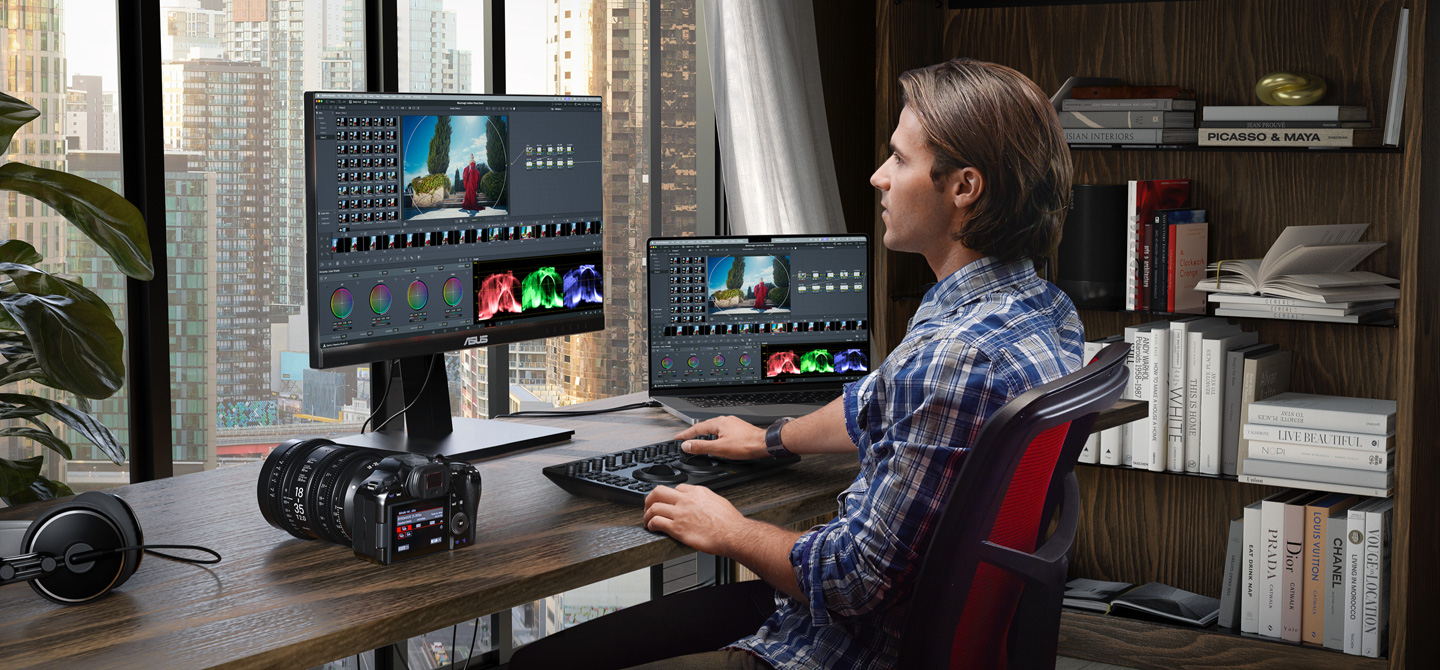
Comment by schrijver 6 days ago
Comment by Applejinx 6 days ago
Comment by dan-robertson 6 days ago
Comment by niek_pas 6 days ago
The bookshelf is looking sus too.
Comment by alkonaut 6 days ago
Comment by Bengalilol 6 days ago
A further bit of a tangent, but anyway: what really strikes me is the choice of such an image to represent whatever they're trying to convey. It feels bland, and there's a kind of underlying sadness to it... the books, the small sculpture, the shelf, the desk... it all drags me down.
I'm pretty sure the "fakeness" is intentional. The image seems designed to appeal to a specific target audience (when I look at their 'AI erase/replace tool' example I get a clear idea).
Comment by miksuko 6 days ago
Comment by goldenarm 6 days ago
Comment by yieldcrv 6 days ago
Comment by o10449366 6 days ago
Comment by Kkoala 6 days ago
Comment by raincole 7 days ago
Comment by AussieWog93 7 days ago
Used to have lunch regularly with one of the owners too. Need to check in with him again!
At least back in 2019, BMD made a lot of money selling professional licences for DaVinci Resolve. I don't know exact figures but that part of the business was healthily profitable of its own accord. Very, very healthily profitable!
Most parts of the business were profitable standalone, AFAIK. Their model didn't revolve around loss leaders, burning VC money or anything like that; just selling good products at fair prices and making bank.
I think a big part of it was a fairly lean culture (whole company was bootstrapped and grown sustainably), and specifically in the case of DaVinci they bought out an existing business that had already done a lot of the development and marketing work for absolute peanuts.
Very smart team doing good work.
Comment by jasomill 7 days ago
From an outside perspective, "selling good products at fair prices and making bank" sounds about right for the hardware, but I always assumed the Resolve software itself was, if not a loss loss-leader, also not a major profit center.
Then again, there's something to be said for volume, especially in a market that includes lots of independent operators and dedicated amateurs worldwide who are willing to spend what good money they have on their craft.
Comment by bredren 7 days ago
Comment by AussieWog93 7 days ago
(Actually, anyone else from BMD here? Was that the product that the Industrial Designers won second place in the design awards for, losing out to the accessible playground?)
Comment by geerlingguy 7 days ago
They also sell a paid version, if you want a few extra features.
Comment by gregsadetsky 7 days ago
I made the unconventional choice of using a Blackmagic Micro Studio 4K camera for a robotic application and it turned out to be a not crazy choice - we get our choice of lenses and they have controllable focus and zoom, there's a REST API for the camera (which can connect to Ethernet), etc. To speak nothing of the crisp image. And that I can pick one up in 30 minutes at B&H (in NYC).
Industrial vision cameras can cost ~the same but you'll want to rip your hair out before you get to grab an image (or change the focus - sorry, that's mostly never possible).
Huge, huge fan of Blackmagic. The rock-solid free editing software is just cherry on top.
Comment by modeless 7 days ago
Comment by gregsadetsky 7 days ago
We use the SDI output (that cable is sturdy and the bnc lock connector is rock solid) and a Blackmagic 12G SDI to HDMI converter, and then an El Gato HDMI capture card.
Intuitively, I’d say most of the delay is coming from the HDMI capture side (it’s a pretty cheap usb dongle).
Comment by gregsadetsky 6 days ago
Comment by izacus 7 days ago
Also they were first to sell us USB3 based HDMI capture devices that we could take around and do live capture from cameras at full HD for also a pretty affordable price (around 1000$?).
Whenever we needed affordable (semi) professional gear, they were consistently the ones to look at.
Comment by georgemcbay 7 days ago
And the great thing about the paid version is that updates are (so far) free with no subscription bs.
I paid for it once like 10 years ago and still get every new version for free.
Comment by Foobar8568 7 days ago
Comment by franga2000 7 days ago
Comment by vaibhavsagar 6 days ago
Comment by farzd 7 days ago
Comment by Washuu 7 days ago
Comment by jjbinx007 7 days ago
Comment by RobotToaster 7 days ago
Comment by rattt 7 days ago
Comment by al_borland 6 days ago
Comment by adzm 7 days ago
Comment by VerifiedReports 7 days ago
Meanwhile, I wish BMD would take a step back and do the housecleaning that Resolve so desperately needs. They threw a bunch of purchased products together on different pages and called it "integrated," when in fact the integration is buggy and janky.
The #1 thing they need to do is integrate all the nodeviews. A single nodeview for all processing would make Resolve a truly groundbreaking product, and undoubtedly eliminate a lot of bugs.
Comment by armandososa 6 days ago
Comment by VerifiedReports 6 days ago
Comment by rimliu 6 days ago
Comment by VerifiedReports 5 days ago
Comment by divan 7 days ago
For culling there is nothing better than Photo Mechanic. Worth every penny. For editing, surprisingly, the best solution (performance/features wise) I found is Photomator (recently acquired by Apple). The trick though is not to import RAWs into Photomator, but import into Apple's photo library first (so it doesn't copy RAW files from SSD and doesn't not sync with gallery ofc), and Photomator picks it up natively.
Performance/features wise this stack works fine, but it's a constant juggling with 3 apps, which makes if far from perfect.
Curious to try DaVinci Photo and see how it handles large collections of RAWs and how practical it is to use.
Comment by divan 7 days ago
I wrote 2 scripts for that:
- first is for keyboard shortcut that automates "Switch to color tab, Grab a still, Save a still to folder, Switch back"
- second for more advanced workflow where I put markers on the frames I like, and then it uses Fusion's Saver node to save images as EXR
This flow is even faster than culling with Photo Mechanic. In both cases I get 10bit PNG or EXR images that I can import into the photo editor. Workflow is far from the perfect yet, as it might need some adjustment when working with Log profile or different FPS (for 2nd script).
But aside of giving me an option of "shooting" video+photos at the same time, it blows my mind that it's practically "shoot photos 240 times per second and choose later", and how good the end result is. The bitrate of video is 280Mbps (4:2:2, 10bit) and while video compression quality is not negligible, the resulting "still photos"'s quality is more than enough for social media purpose. Photo example [1]
[1] https://drive.google.com/file/d/13So6ZuVx3dn2jZCw7cm3LkbzydF...
Comment by tecleandor 6 days ago
Comment by divan 6 days ago
Comment by bryanhogan 7 days ago
I've been using DaVinci Resolve as my desktop video editor for years, and it's great, can highly recommend it as well.
Comment by snowe2010 7 days ago
Comment by jack1243star 7 days ago
Comment by Arn_Thor 7 days ago
Comment by robertwt7 7 days ago
Comment by Pyrodogg 7 days ago
This is how they're going to win over LR users. It always comes back to it not just being a decent photo editor, it's also a library management tool. Beyond good organization, If you're non-destructively editing photos and not wanting to render out every single artifact, then you need a tool that can you show the library and dynamically render the edits.
It's nice experimenting with different editors, but having library management is turning into more of what keeps me shelling out. I'll have to check this out more.
Comment by Maxion 7 days ago
Library management whas how Lightroom got started. Back in ~2005 or so when the first betas came out that was the big selling point and why I and other photographers jumped on it. Back then, the editing tools in Lightoom were still behind photoshop, but the library management was intuitive and fast.
The other comparable tool (at the time) is PhotoMechanic, but that one is quite different in terms of library management, though far superior to Lightroom in many regards. But it isn't very functional as an overall library tool IMO.
Comment by atombender 6 days ago
If that is their goal, then I think it's a huge failure. What they've done is add photo support to Resolve, which is still primarily a video tool. All the video stuff is there — most parts of the UI is oriented around video clips and video editing. The photo editing is kind of buried in there.
Compared to Lightroom, this doesn't seem like it's designed to be a real library management tool, let alone a DAM. Lightroom has very good support for previews, decoupling the library metadata from the physical media, and so on.
Comment by egorfine 6 days ago
I have just verified that Dehancer Pro for DaVinci Resolve works perfectly with the Photo mode of the new beta. So if you're on subscription - you can use both plugins and see what's best for you.
I personally didn't like the new Photo mode because it's clearly intended for video editors and not photographers at all.
Comment by dcliu 7 days ago
Comment by mturilin 7 days ago
If I can switch to a photo editor that lets me process everything properly, skip the monthly subscription, and not have Adobe tracking all over my system—that’s exactly what I want.
This feels like a dream come true. Really amazing.
Comment by InfinityByTen 7 days ago
On that note, is this supported on Linux?
Comment by tech234a 7 days ago
Comment by joseluis 7 days ago
Comment by hulk-konen 7 days ago
Native photo editor with decent ux was the missing piece.
Comment by InfinityByTen 7 days ago
Comment by d3Xt3r 7 days ago
Comment by InfinityByTen 7 days ago
But, if there's a battle-tested, mature UI, I'm up for giving it a shot. I have done no video editing, so no clue how my experience with DaVinci Resolve is going to go. I might give Darktable another go while I'm at it. Just tend to have a bad gut feeling about it.
Some people love tinkering. I do that as my job, so I don't often have the urge to do it when I just want to get shit done.
Comment by motoroco 6 days ago
Comment by acomjean 7 days ago
I’ve returned to Canon Desktop photo Pro for processing raw, but it’s clunky and Windows and only does canon raw (though I kind of get that). I’m trying DXO on windows some good gpu acceleration, but no Linux. I’ve moved most of my work to Linux, and I did try raw therapy and darktable but it wasn’t intuitive enough and i had to tweak a lot. I’ll pay for a light room alternative (which I bought years ago.. they don’t support new cameras which is how they get you to upgrade.)
Comment by btown 6 days ago
Is scripting from an external system (like Claude Code) easier/only possible with the full Studio version?
Comment by kccqzy 6 days ago
As someone who has only used layer-based approaches can someone elucidate on why node-based workflows are more powerful? I still remember the first time I discovered layers in professional photo editing applications and I was blown away by how powerful this was.
Comment by TheRealPomax 6 days ago
Practical example: I have a bird that's being chased by another bird, and they overlap in the shot. There's weird lighting on the bird that's further away, so I need to grade them differently. But they overlap so now I have a challenge. I could try to do this using layers and masks: mask both birds in a way that the masks don't overlap, while perfectly tweaking the mask feathering so that there's minimal bleed on their overlap, then tie each mask to an adjustment layer.
But if I have graph based adjustments available, I first split my input into separate nodes for the background and each bird, then for each of those, I can send them through a node that masks them appropriately without worrying about mask overlap. I can then chain adjustment nodes to grade all three and I can save those grades separately, too so I can use them on other shots from the same series, then I can send each chain into a muxer that turns the three elements back into a single composition.
I could do that with layers, where I clone the full image several times, create my adjustments in groups, then render each group to a new layer, hide everything else, and mix those layers, but now what do I do if I want to tweak the grading? Delete my layer, unhide the group, tweak the adjustments, rerender the group, mix the new "final" layer in, and holy crap how many things I did I just need to do that weren't "making my adjustments"? Whereas with a node graph you just make your adjustment. Done, your change simply cascades through the graph.
There's a lot that you can do with layers, but layers are just a linear graph: you can do more if you can branch and merge your graph.
Comment by jerf 6 days ago
Comment by jdboyd 7 days ago
There is a bunch of other stuff I think is interesting in this release's marketting as well. For instance. OGraf, a new EBU standard for HTML in motion graphics systems, as well as Lottie animation support.
The AI blemish remover looks interesting. The AI content search looks interesting. AI Slate ID looks interesting, although I've never actually used a slate. I'm less thrilled to see an AI speech generator though.
There is now Vertical Resolution support. Not something I have particularly wanted to do, but I can see it being useful to a lot of people. Also, the new Picture in Picture tool looks like it might be a time saver, as someone who does a lot of people talking next to slides.
Comment by jobgh 6 days ago
Comment by curioussquirrel 7 days ago
Comment by LandenLove 7 days ago
Comment by Mario9382 7 days ago
Comment by eeiaeaa 6 days ago
Comment by axelriet 7 days ago
Comment by LandenLove 7 days ago
I also like the cloud backup and sync that Lightroom has. But I swear it gets slower and slower with every update.
Comment by 9x39 5 days ago
Comment by buildbot 7 days ago
The cinematic color grading seems super cool, can’t wait to give this a try.
Comment by miladyincontrol 6 days ago
Lens corrections are also a big question mark, and if they are using something like lensfun I really do hope they allow user imported db/corrections rather than whatever is compiled into it.
Neat that they try to support JXL compressed raws but colors render very off.
Seems some promise, while I love davinci for video I'm not sure this will be for me, but I'm excited for those who it is enough for.
Comment by botanrice 6 days ago
Only thing keeping me atm is having learned Premiere Pro's workflow quite well by now. Time to change.
Comment by geerlingguy 7 days ago
I mean, they all process image data, so it had that going for it, but I'm still disappointed Apple gave up on Aperture, then nobody really innovated after that, in terms of library management and workflows.
Comment by jillesvangurp 7 days ago
One of the big things Darktable has been pushing for a few years is moving from the now deprecated display-referred workflow to a scene-referred one. The key idea is that you keep the image in something closer to the original scene as captured by the camera for as long as possible, instead of rendering it early into output-referred display space such as sRGB. With raw files that matters, because many editing operations behave very differently depending on where in the pipeline they happen.
That is a bit different from how tools like Adobe Lightroom tend to work. The main problem with display-referred workflows is not just reduced precision, but that you can end up clipping information and applying nonlinear transforms too early. Once that happens, later edits are working against damage that has effectively already been baked into the pipeline. So subtle tone mapping tweaks can push colors out of gamut, for example. There are a lot of ways to deal with that obviously and Adobe does a nice job of balancing tradeoffs. But they do remove a lot of choice and control from the process.
The UX tradeoff in Darktable is that module order matters a lot and there are a lot of different modules that do similar things in different ways. You can adjust modules in any order you like, but the processing order itself is usually best left alone. That is a leaky abstraction: it is hard to explain why the order matters unless you already understand what the pipeline is doing. And of course Darktable now allows reordering because there are sometimes valid reasons to do that. But that also means users can easily make things worse if they start changing the order without understanding the consequences.
But for simple editing, Darktable is actually really nice these days. I have some auto applied modules with rules for camera type and a few other things. Mostly it looks alright without me doing much. One of its strong points is rule based application of particular edits based on camera or lens. With my Fuji, it needs a little exposure correction because it under exposes intentionally to protect highlights for example.
Comment by Y-bar 6 days ago
Might give this a try. I just keep on holding back because I do not want to lose all my thousands upon thousands of edits.
Comment by zefhous 6 days ago
Comment by dylan604 7 days ago
Comment by Gigachad 7 days ago
Comment by v1ne 6 days ago
I don't know, does Resolve have lens corrections for 100+ lenses built-in? That's the thing that DxO does really well: Lens corrections, matching your camera's color rendering, denoising. Unfortunately, they still struggle with HDR output.
I imagine the tools in Resolve save you much time, due to automation. Probably handy if you shoot a lot. Yet, the biggest difference is that in photography, you're not necessarily limited by throughput. You can and do actually put a lot of effort into single images.
Comment by cjk 6 days ago
Comment by kleinishere 6 days ago
Comment by ilsubyeega 7 days ago
Comment by d3Xt3r 7 days ago
Comment by HelloUsername 7 days ago
Comment by sudonem 6 days ago
Comment by yieldcrv 7 days ago
Could check this out
Might be the final nail in the coffin for my creative cloud subscription
Comment by alfanick 6 days ago
Edit: ofc it couldn't be that easy, need to update some libs to make DaVinci Resolve happy.
Comment by SomeHacker44 6 days ago
Comment by alfanick 6 days ago
Comment by talkfold 6 days ago
Comment by yonatan8070 6 days ago
Comment by sudonem 6 days ago
BMD’s entire game here is that they are a hardware company first.
They hook you in with some really good software - and when you start getting in to professional workflows that requires specialized hardware (I.e. capture cards, I/O devices etc) you’re locked in to needing to use BMD hardware.
So it doesn’t cost them a great deal to offer the free version to most people because they have to have the software anyway to support the hardware.
Also, while they certainly make a profit on the studio licenses, it seems to be largely because offering those advanced features have costs they can’t eat. For example, the official (and expensive) Apple ProRes encoder SDKs, and advanced tech behind their noise reduction plugins among others.
Comment by 8-prime 6 days ago
I guess once you reach the level where you need to work on these types of files, it would be warranted to pay the very reasonable price for Resolve.
Comment by te_chris 6 days ago
How does BM cloud work in this regard? Can we dump a card straight in, have it sync, edit, export etc and never think about the files again?
Comment by mmaunder 7 days ago
Comment by pier25 7 days ago
Comment by __mharrison__ 7 days ago
I've been editing my videos by transcription for the past two years. Can edit very quickly. Takes about 2 hours to edit a one hour video. It's actually faster than working with an editor.
Comment by dylan604 7 days ago
what does this mean? it is an editor
Comment by cuu508 7 days ago
Comment by dylan604 7 days ago
a professional editor will take longer as they are laughing/crying about the dumpster fire of footage dumped into their bay. a content creator is just going to yolo jump cut their way through it with absolutely no regards for the same criteria a professional editor would be looking for. you know, things like continuity, different angles, cut away shots and other things to make a clean edit. so yeah, something you just taped on your system with no regards to normal production quality will take a professional editor longer just to get their head wrapped around it.
Comment by pinkmuffinere 7 days ago
Comment by __mharrison__ 7 days ago
Some do all the editing for you. Others make you do the editing. Some do "in between". Where they do some edits but then ask you to validate, etc.
That middle group has always been annoying because it has been a huge context shift. By the time I go through their questions, it's typically easier for me to do the full edit myself.
No, I'm not editing a feature length movie.
Comment by qsi 7 days ago
Comment by teovall 6 days ago
Comment by internetter 7 days ago
Comment by Eingin 7 days ago
Comment by Forgeties79 6 days ago
I started on FCP, did FCPX, did premiere for 2 years (awful), now my production team is completely around resolve studio. I would never go back to any of the others, Resolve is clearly the superior NLE with a company that has thus far maintained pretty stellar business practices IME.
I’m rooting for black magic design on this one. Adobe is a terrible company.
Comment by TheRealPomax 6 days ago
Comment by amanzi 7 days ago
Comment by GrayShade 7 days ago
Comment by northernsausage 7 days ago
Comment by thomasfl 6 days ago
Comment by cetinsert 7 days ago
Comment by brontosaurusrex 7 days ago
Comment by jzer0cool 7 days ago
Comment by Archit3ch 6 days ago
1) How does this compare to Affinity Photo?
2) Is there an iPad version?
Comment by wg0 7 days ago
Comment by JoshStrobl 6 days ago
Comment by agos 6 days ago
Comment by superxpro12 6 days ago
Comment by MetroWind 5 days ago
Comment by sherlockx 6 days ago
Comment by ano-ther 6 days ago
Comment by nekiwo 7 days ago
Comment by Wistar 1 day ago
Comment by 4k93n2 7 days ago
Comment by whywhywhywhy 6 days ago
Comment by teovall 6 days ago
Comment by alfirous 6 days ago
For me best alternative to AE is Blender.
Comment by falkensmaize 6 days ago
Comment by ch_fr 6 days ago
TLDR: it does some stuff slower than ae, but nodes allows it to very easily do a lot of stuff that ae struggles with.
It's also a lot easier to parse since node->properties is less nested than comp->layers->effects->properties (and this makes a big difference on cognitive load).
Comment by major505 6 days ago
Comment by Jamesbeam 7 days ago
Having a proper choice that is not Adobe or Affinity is a win for every amateur like myself working with videos and photos.
Comment by Forgeties79 6 days ago
Comment by sta123 6 days ago
Comment by unit149 6 days ago
Comment by andrew2025 7 days ago
Comment by T3RMINATED 6 days ago
Comment by dfordp11 7 days ago
Comment by LewisVerstappen 7 days ago
Comment by headsnap_io 6 days ago